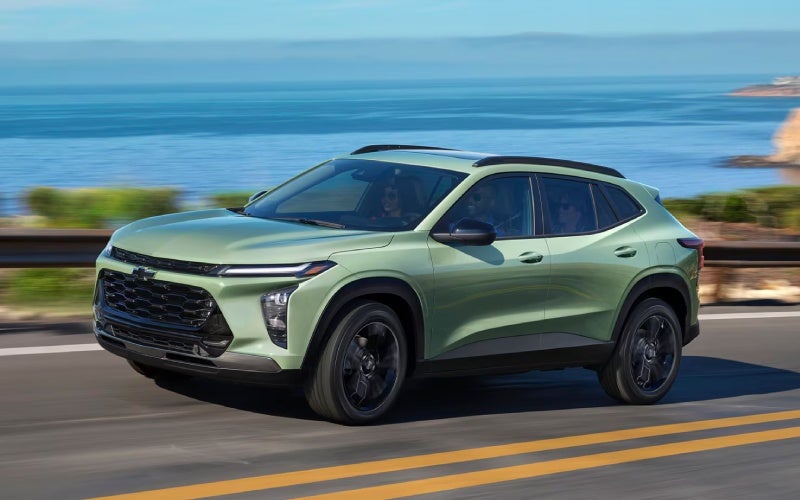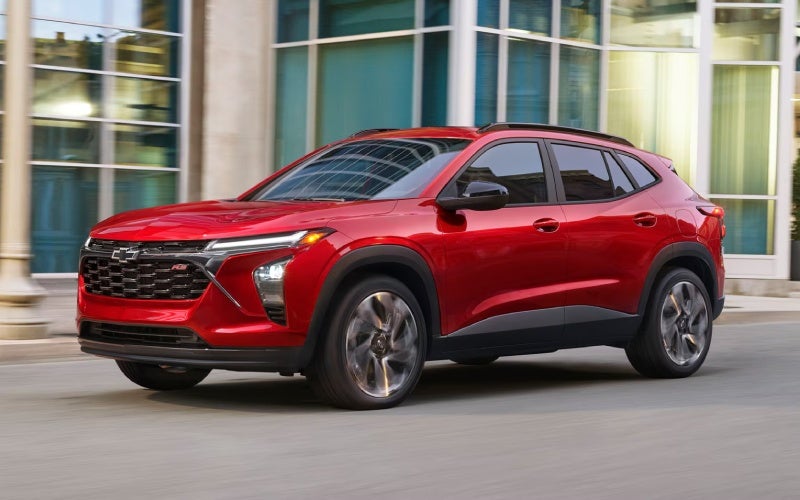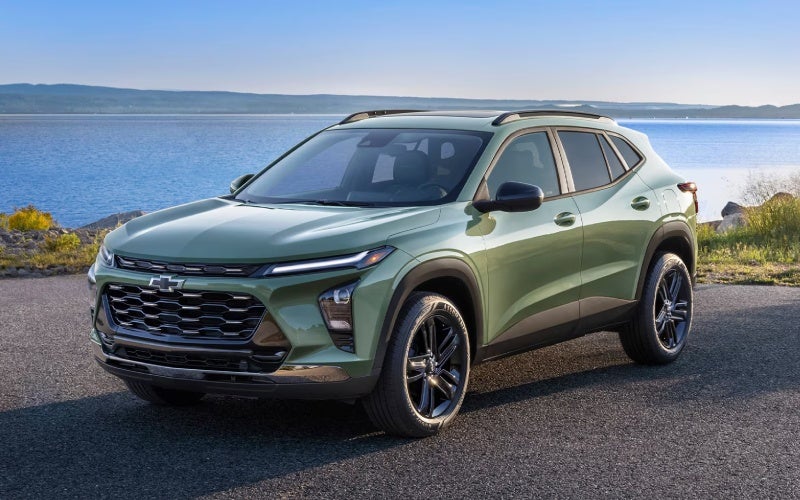





Alpha Chevrolet - Everyday Confidence with Chevy Safety Assist in the 2026 Chevrolet Trax around Mansfield, OH
Chevy Safety Assist comes standard on every 2026 Chevrolet Trax, which means you’re starting each drive with a thoughtful suite of driver assistance features working quietly in the background. Around Mansfield, OH — where your day can swing from neighborhood errands to highway stretches on US-30 — those subtle assists matter. In this deep-dive guide, we’ll break down what each system is designed to do and how to get the most from it in real-world driving.
Importantly, these features don’t replace your attention — they support it. Think of them as extra sets of eyes that offer helpful prompts and, when appropriate, gentle interventions. With a bit of setup and practice, the Trax makes it easy to tune these systems to your preference.
What’s Included in Chevy Safety Assist?
The 2026 Trax brings six core technologies as standard: Forward Collision Alert, Automatic Emergency Braking, Front Pedestrian Braking, Lane Keep Assist with Lane Departure Warning, Following Distance Indicator, and IntelliBeam® High Beam Assist. Together, these systems are designed to help warn you about potential front-end collisions, support you with braking under specific conditions, provide alerts if you drift out of your lane, help you manage headlight usage at night, and keep tabs on your following gap to the vehicle ahead.
Every feature works within defined parameters — for example, higher speeds, distinct lane markings, or specific lighting conditions — so it’s a good idea to review your vehicle’s settings and Owner’s Manual. Once set up, you’ll find they integrate naturally with your daily drive.
Setting Up and Personalizing Your Alerts
Start with the available 11-inch center diagonal touch-screen to access vehicle settings and driver assistance menus. Within a few taps, you can tailor alert intensity and chime preferences. If you prefer subtle notifications, you can typically choose shorter chimes and fewer visual prompts; if you want prominent cues, you can dial them up. Spend a moment parked in your driveway to preview these settings and confirm your comfort before heading out.
It’s also worth checking the instrument cluster display for quick toggles — certain assist cues, like Following Distance Indicator, display in clear, glanceable formats, so you can keep eyes-up awareness at speed. The result is a car that feels keyed in to you, not the other way around.
Everyday Scenarios Around Mansfield, OH
Morning trips along Park Avenue West or Main Street often include tightly spaced traffic and frequent stops. Forward Collision Alert and Automatic Emergency Braking can help by alerting you to a sudden slowdown — and in specific situations, applying braking support. When you’re cruising east or west on US-30, the combination of Lane Keep Assist with Lane Departure Warning and Following Distance Indicator encourages steadier lane positioning and more consistent gaps to the vehicle ahead.
As light fades on rural connectors or neighborhood lanes, IntelliBeam® High Beam Assist automatically toggles your headlamps as it senses traffic conditions and lighting, which helps you focus on the road instead of the switch. The net effect is a calmer, more attentive drive when visibility changes quickly.
Pairing Safety Assist with Smart Cabin Tech
Because wireless Apple CarPlay® and Android Auto™ compatibility are standard, you can place your most-used maps and calling apps on the Trax screen while keeping alerts in clear view. When you add available wireless charging and a built-in Wi-Fi® hotspot, you reduce cable clutter and keep devices topped up — fewer distractions, more situational awareness. That’s a meaningful combination on busy Mansfield days.
Another simple tip: build a home screen layout that prioritizes navigation and audio on the top row of tiles. This way, you get turn-by-turn clarity while keeping safety notifications visible in the cluster. It takes just a minute to set up and pays you back on every drive.
Confidence for Newer Drivers
If you’re handing the keys to a new driver in the family, the Trax’s clear visual and audio cues can reinforce good habits. The gentle nudge from Lane Keep Assist or a timely alert from Following Distance Indicator is often enough to promote smoother steering and more measured spacing. Consider walking through the settings together so they understand what each symbol and chime means before their first solo trip.
Frequently Asked Questions:
Does Chevy Safety Assist work in all weather or road conditions?
Like any advanced system, performance can vary with visibility, lane markings, and road conditions. It’s designed to assist, not replace your attention, so always drive engaged and adjust speeds accordingly.
Can I turn individual features on or off?
Yes. Within the settings menus on the infotainment screen and driver information display, you can usually enable or disable individual features and adjust alert sensitivity.
Will the alerts be distracting?
Most drivers quickly adapt. You can customize the alert style and volume to your comfort level, which helps these features blend into the background until you need them.
Is IntelliBeam® always on at night?
It can be switched on or off. When enabled, it monitors conditions and toggles your high beams automatically for better night-driving convenience.
What happens if I add accessories like a roof rack?
Most accessories won’t affect safety systems, but anything that blocks sensors or cameras could. Follow accessory guidelines and check for any notifications after installation.
Why the Trax Gets the Balance Right
The 2026 Chevrolet Trax focuses on features you’ll use daily, not just occasionally. Standard Chevy Safety Assist is a prime example — by making these features foundational, Chevrolet helps more drivers benefit from timely alerts and assists without having to shop multiple packages. Pair that with the available 11-inch center diagonal touch-screen, clean cabin ergonomics, and flexible cargo space, and you get a small SUV that’s simple to learn and consistently easy to live with.
It’s also a great match for drivers who want a modern safety backbone without giving up a welcoming, straightforward interface. If your week shifts from office commuting to after-school pickups to weekend errands, this balance of tech and usability makes the Trax an even smarter pick.
Try It on Your Routes
The best way to understand how these features fit your life is to test them on the roads you know best. If your daily drive includes roundabouts, two-lane farm connectors, or evening visibility challenges, watch for where the alerts assist and where you want to adjust their sensitivity. One short loop often shows how naturally they integrate.
When you’re ready for a closer look, Alpha Chevrolet is serving Mansfield, Upper Sandusky, and Galion with product specialists who can help you set preferences and walk you through the systems before and after a test drive. With a few thoughtful tweaks, the 2026 Chevrolet Trax becomes a confident partner that supports the way you already drive — and helps you do it with a calmer, clearer view of what’s ahead.