



Blog

All Chevrolet Equinox Chevrolet Silverado 1500 Chevrolet Trax Chevrolet Dealership Chevrolet Trailblazer Chevrolet Silverado 2500 HD Chevrolet Traverse Chevrolet Tahoe Chevrolet Colorado Chevrolet Silverado 3500 HD Chevrolet Dealer Chevrolet Silverado HD Chevrolet Service Chevrolet Suburban Chevrolet Corvette Chevrolet Malibu Buick Dealership Chevrolet Chevrolet Blazer Chevrolet BOLT EUV Chevrolet Bolt EV Chevrolet Camaro Chevrolet Corvette Stingray Chevrolet Equinox EV Chevrolet Parts Chevrolet sales event Chevrolet Silverado Chevrolet Silverado EV Chevrolet Tires Chevy sales event Genuine Chevrolet parts used GMC Sierra 1500 used vehicles
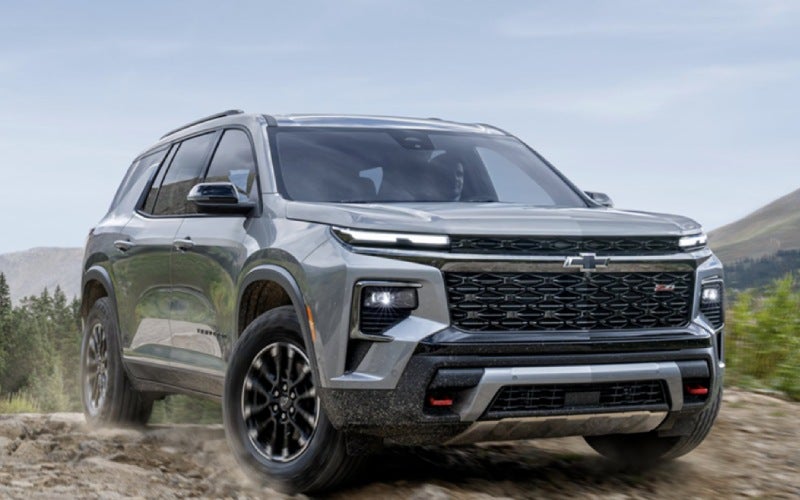
How the 17.7-inch Touchscreen and Google built-in in the 2026 Chevrolet Traverse Fit Everyday Life around Bucyrus, OH

How the 17.7-inch Touchscreen and Google built-in in the 2026 Chevrolet Traverse Fit Everyday Life around Bucyrus, OH

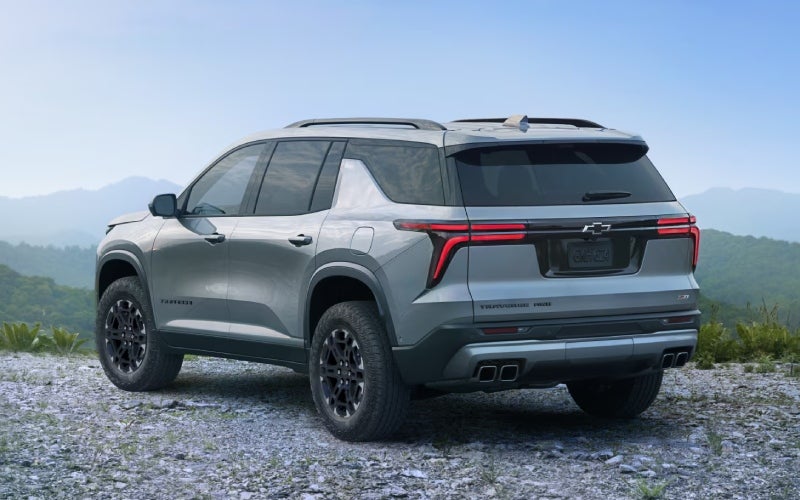
Alpha Chevrolet - How the 17.7-inch Touchscreen and Google built-in in the 2026 Chevrolet Traverse Fit Everyday Life around Bucyrus, OH The 2026 Chevrolet Traverse takes the guesswork out of daily driving with one of the most intuitive cabin tech setups in a family SUV today. Front and center is a 17.7-inch diagonal color touch-screen that unifies maps, media, and settings in a layout that feels natural from your first drive. Pair that with an 11-inch diagonal Driver Information Center that keeps speed, navigation prompts, and active safety alerts right in view, and you have a cockpit that works smarter without overwhelming you. Add Google built-in, and you can speak simple requests to navigate, send a message, or adjust the climate — no fumbling, no fuss. Why does that matter around Bucyrus, OH? Because real family driving involves quick changes. Fields shift, after-school plans change, and your weekend destinations can be anywhere from a neighbor’s house to a trailhead across the county. With the Traverse, your core apps and voice assistance are ready to go, and the large screen layout reduces tapping so you can keep more attention on the road. It’s everyday tech that makes every trip a little calmer and a lot more capable. A bigger screen that works the way you do Chevrolet didn’t just supersize the display — it reorganized the experience. The 17.7-inch touch-screen gives maps room to breathe, while common functions like audio, phone, and camera views remain just a glance and a tap away. If you prefer, keep a split view for navigation plus media controls, so you’re never drilling deep into menus to switch songs or reroute. The result is a cabin that feels less like a set of separate gadgets and more like one polished system. Voice control helps too. With Google built-in, you can ask for the nearest coffee, send a text with your arrival time, or change the cabin temperature when traffic slows — no need to hunt for physical buttons when the conversation is faster. Maps, media, and your day — simplified Whether you’re heading to a game at the athletic complex or meeting friends on the square, navigation that updates quickly and gives clear lane guidance makes a difference. The Traverse’s integration keeps your routes up front and easy to follow, and when plans change, it’s easy to recenter the map, scroll, or zoom. And when the day stretches into evening, available HD Surround Vision lends a top-down camera view that makes tight parking or dimly lit lots feel far less stressful. For long days on the road, available Super Cruise® can enable hands-free driving on compatible roads, helping reduce fatigue while the cabin tech handles the rest — your podcasts keep playing, your route stays in view, and your messages are voice-ready if something urgent comes up. Design details that make a daily difference Tech is only as helpful as its placement. The Traverse’s display sits high and flat, limiting glare and keeping your eyes closer to the road. The Driver Information Center’s crisp graphics are legible at a glance, and common toggles are simple to find even when you’re wearing gloves. It’s a space made for real life, not just showroom sparkle. Screen size that helps: The 17.7-inch touch-screen makes maps and menus readable without squinting or deep menus. Smart voice control: Google built-in means quicker commands and less time scrolling. Helpful camera views: Available HD Surround Vision can make parking and tight spaces easier. Driver-focused layout: The 11-inch Driver Information Center keeps critical data front and center. Easier family routines: Fewer taps and clearer menus accelerate school-day and weekend logistics. Families appreciate that the Traverse pairs this tech with everyday practicality — Smart Slide Seats for third-row access, a roomy cargo area for bulky gear, and available power-folding seats on select trims when you need a quick transformation from people to cargo space. Features complement each other: the screen gets you there, the seating helps you haul, and the cameras help you maneuver once you arrive. Who should prioritize the 17.7-inch screen and Google built-in? If you split time between work, school runs, and regional travel, the Traverse’s tech stack is a daily time-saver. Drivers who rely on lane-level guidance and real-time rerouting will value the large map display. Households with multiple drivers benefit from consistent interfaces across profiles — the SUV can remember your preferences for displays and settings — while those who favor voice-first commands will appreciate Google built-in’s natural phrasing. Put simply, it’s not just about a bigger screen; it’s about less friction. From making the third-row carpool more organized to getting across town without missing a turn, this tech helps you stay focused and in rhythm. Frequently Asked Questions: Does the Traverse require a subscription for Google built-in? Google built-in is integrated to support voice assistance, maps, and select apps. Availability of connected services varies; most drivers simply use the native interface to streamline everyday tasks. How does the 11-inch Driver Information Center help on the road? It brings turn-by-turn prompts, active safety icons, and vehicle information into your natural sightline, reducing the need to glance away from traffic. Can I customize the layout of the 17.7-inch screen? Yes. You can tailor home screens and prioritize the apps and functions you use most, keeping navigation and media front-and-center if that’s your daily flow. Is Super Cruise® available on the Traverse? Yes, it is available. When equipped, Super Cruise® enables hands-free driving on compatible roads and can help reduce fatigue on longer trips. When you’re ready to try the 2026 Chevrolet Traverse’s tech in person, visit us — we’re proudly serving Ashland, Bucyrus, and Marion and can walk you through real-world demos that showcase how the big screen and voice controls streamline daily driving. Our team at Alpha Chevrolet can also help you compare trims so you find the right mix of screen tech, seating, and driver assistance for your routine. Request more 2026 Chevrolet Traverse information
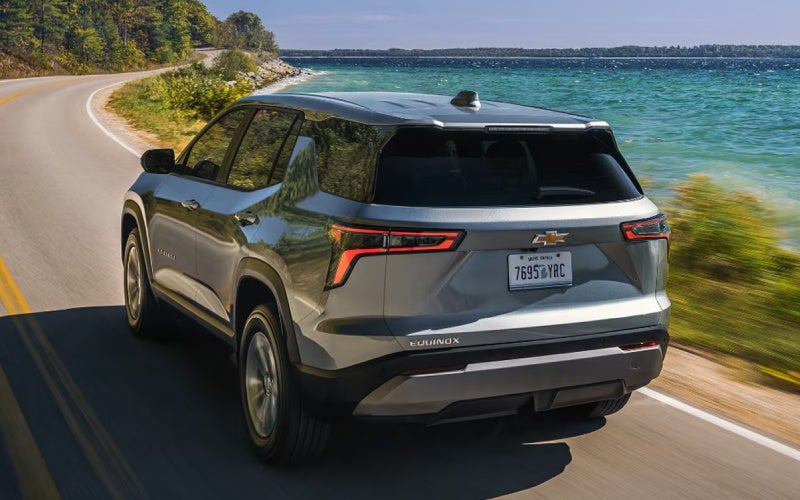
Google built-in and the 11.3-inch Screen - How the 2026 Chevrolet Equinox Makes Columbus, OH Drives Simpler

Google built-in and the 11.3-inch Screen - How the 2026 Chevrolet Equinox Makes Columbus, OH Drives Simpler

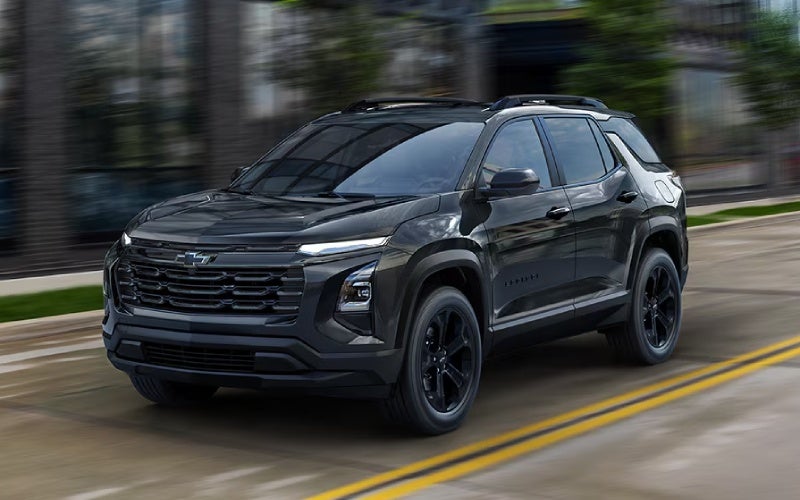
Alpha Chevrolet - Google built-in and the 11.3-inch Screen - How the 2026 Chevrolet Equinox Makes Columbus, OH Drives Simpler If you’ve ever wished your SUV could manage everyday tasks with the same ease as your phone, the 2026 Chevrolet Equinox comes about as close as it gets. The centerpiece is a crisp 11.3-inch diagonal infotainment touch-screen paired with Google built-in—so your voice can set a destination, call a contact, play a playlist, or adjust settings while your hands stay on the wheel and eyes on the road. It’s seamless, natural, and fast, and it pairs beautifully with an 11-inch diagonal Driver Information Center that keeps vehicle data front and center. From quick trips to Nationwide-area destinations to daily errands across town, the Equinox turns small moments into simple wins. Google built-in integrates with Google Assistant, Google Maps, and select apps from Google Play, but the magic is how it feels in real life. You can say, “Hey Google, navigate to the closest coffee shop,” and a route appears on the large display with predictable, real-time guidance. If you prefer your phone’s ecosystem, Wireless Apple CarPlay® and Android Auto™ are on tap—no cables needed. The Equinox is designed to remove friction from your routine, so you spend less time swiping and more time focusing on what’s ahead. Why Google built-in Feels Effortless Voice is a big part of the Equinox difference. Natural commands reduce the learning curve and keep the experience consistent across your devices. The screen layout is also straightforward—clear onscreen tiles and intuitive menus help you jump between navigation, media, and settings quickly. And because Google built-in is, well, built in, updates can keep your system feeling fresh, so everyday use stays smooth. It’s more than tech for tech’s sake. The Equinox’s interior is designed to complement the interface with smart ergonomics—a pass-through center console, neatly placed controls, and a cabin that’s thoughtfully organized. Available wireless phone charging helps keep your device topped up without a cord in the way. Taken together, the experience feels cohesive, like each piece was designed to serve an actual daily need. Confidence on Busy Streets Smart connectivity pairs with real-world peace of mind. Over 15 standard safety and driver assistance features include Chevy Safety Assist with Automatic Emergency Braking, Front Pedestrian Braking, Lane Keep Assist with Lane Departure Warning, Forward Collision Alert, Following Distance Indicator, and IntelliBeam®. Available HD Surround Vision, Rear Cross Traffic Braking, Side Bicyclist Alert, and a Rear Camera Mirror add awareness when you’re threading into a tight space or backing out near bike lanes. It’s the right set of tools for the bustle of urban routes and neighborhood traffic alike. On the move, the standard Drive Mode Selector and available all-wheel drive help the Equinox feel planted and predictable, while the efficient 1.5L Turbo engine delivers smooth everyday response. The key is harmony—tech, safety, and driving dynamics that reinforce one another rather than compete for attention. Everyday Practicality Still Matters Beyond screens, the Equinox keeps life organized. The 60/40 split-folding rear seat and hidden underfloor cargo storage make room for shopping bags, strollers, or home project supplies, and the available hands-free AutoSense Power Liftgate is a small luxury that pays off repeatedly when your hands are full. Inside, refined stitching and quality materials give the cabin a polished feel, especially on RS with Black emblems and sporty accents, or ACTIV with its uniquely tuned suspension and all-terrain tires for drivers who split time between paved roads and more rustic routes. This is the power of a well-rounded compact SUV—high-impact tech that’s easy to use, safety that supports your instincts, and packaging that keeps daily life simple. If your day includes a lot of short hops and quick transitions, the Equinox’s approach to connectivity helps you move faster and think less about your tools. How to Make the Most of Your Equinox Tech Getting started is easy. Pair your phone wirelessly, sign in to your Google account on the vehicle (if you’d like your maps and preferences to sync), and set a few quick favorites on the 11.3-inch display—like your home address, preferred music app, and a couple of frequent destinations. Then try voice commands for a week, especially when you’d typically pick up your phone. Odds are you’ll find yourself talking to your SUV more and tapping less. Two more tips: Use Google Assistant for everyday lists and reminders—“Hey Google, remind me to grab dry cleaning at 5”—and explore your camera views if HD Surround Vision is equipped. Getting familiar with those angles in a quiet parking lot makes them second nature when traffic is flowing. Frequently Asked Questions: Is Google built-in standard on the 2026 Chevrolet Equinox? Google built-in is integrated with the 11.3-inch diagonal infotainment touch-screen, delivering native voice assistance and app access for streamlined daily use. What if I prefer my phone’s ecosystem over Google built-in? Wireless Apple CarPlay® and Android Auto™ are supported, so you can stick with the apps and layout you already know—no cable required. Does HD Surround Vision come standard? HD Surround Vision is available; it provides a high-resolution overhead view to help with low-speed maneuvering and parking. Can I still use Google Maps without signing in? Yes—though signing in can personalize your experience by syncing saved places and preferences across your devices. When your goal is to simplify every trip, the 2026 Chevrolet Equinox hits the mark with clear, responsive screens and a voice-first experience that makes common tasks feel easy. If you’re weighing trims, the LT is a standout everyday driver, RS adds sport-inspired details and a unique grille, and ACTIV offers a more rugged personality. One mention here for shoppers who like a personal touch: Alpha Chevrolet is serving Columbus, Ashland, and Bucyrus with helpful product specialists who can walk you through features and set up your profile so you can test real-world use on your drive. From your first “Hey Google” to your last turn into the driveway, the Equinox proves that the best technology is the kind you barely notice—because it just works. Request more 2026 Chevrolet Equinox information

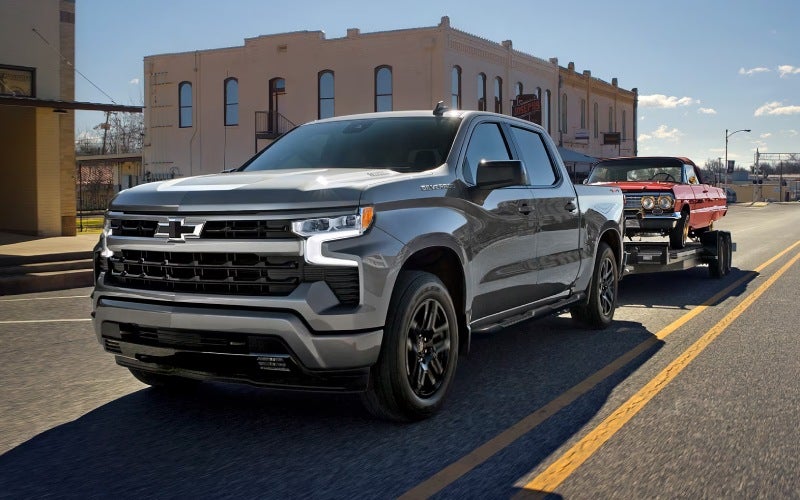
Trailering Cameras and App on the 2026 Chevrolet Silverado 1500 — Everyday Ease for Galion, OH Hauls

Trailering Cameras and App on the 2026 Chevrolet Silverado 1500 — Everyday Ease for Galion, OH Hauls

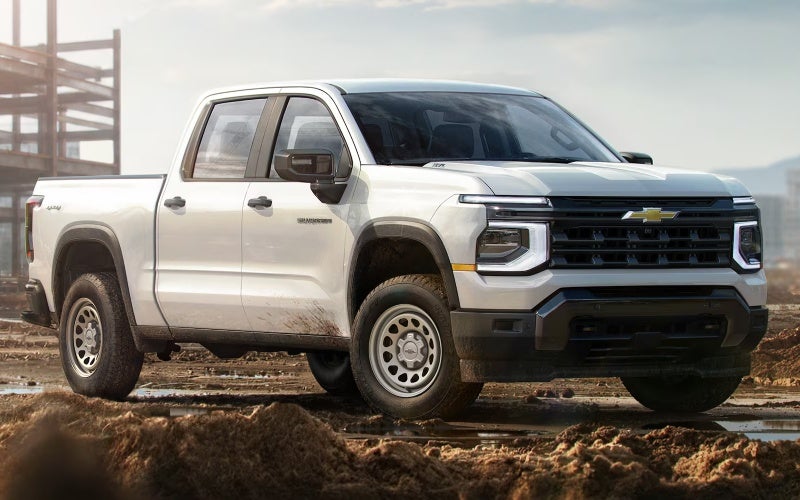
Alpha Chevrolet - Trailering Cameras and App on the 2026 Chevrolet Silverado 1500 — Everyday Ease for Galion, OH Hauls If you tow for work or weekend fun, the 2026 Chevrolet Silverado 1500 tackles visibility and setup with a smart camera suite and an intuitive in-vehicle Trailering App. Around Galion, OH, that can mean easier lineups in tight alleys, more awareness when merging onto state highways, and less stress backing down to a campsite or shop bay. The result is simple: jobs get done faster, and trips feel more confident. The Silverado’s available camera technologies deliver up to 14 views designed to help you see what matters most when you’re on the move with a trailer. Pair those views with the Trailering App’s custom profiles, checklists, and monitoring tools, and routine tasks begin to feel truly repeatable. If you’ve ever wished for an extra set of eyes at the hitch or better context in your mirrors as traffic builds, this system answers the call with smart angles, clear displays, and practical on-screen guidance. Why Camera Tech Matters When You Tow Towing challenges rarely come from the open road; they happen when the space gets tight, the angles get weird, and the clock is ticking. That’s where the Silverado’s camera views show their value. From precise hitch alignment to better awareness of trailer length in busy lanes, the system supports real-world maneuvers, and it’s available on popular trims like LT, RST, LT Trail Boss, LTZ, ZR2, and High Country. Inside, the available 13.4-inch center display turns those views into clear, high-contrast images, and the Truck’s 12.3-inch Driver Information Center puts vital info directly in your line of sight. It’s all designed to keep your attention where it belongs — on what’s happening around the truck, trailer, and traffic. What the Silverado’s Camera Views Help You Do While the specific angles you’ll use vary by job and trailer type, several views make daily towing feel more predictable and less time-consuming. Hitch guidance: Align the ball and coupler with confidence right from the screen. Rear trailer angle: Keep tabs on what’s directly behind your trailer during straight-backs and S-turns. Surround perspective: See around the truck to spot obstacles in tight yards or narrow alleys. Bed camera: Monitor payload position or watch your gooseneck attachment points as needed. Split views: Combine vantage points to understand proximity and trailer swing at once. Side assist: Enhance awareness during merges and lane changes with relevant camera angles. The result is a consistent routine: back up, confirm your angle, make the move, and verify alignment without hopping in and out of the cab. Over a week’s worth of jobs, those saved minutes add up. Meet the In-Vehicle Trailering App The available Trailering App was built to take guesswork out of setup and add structure to every tow. You can create custom trailer profiles so the truck remembers your equipment, weight estimates, and connection type. Before you roll, on-screen pre-departure checklists walk you through the small steps that make a big difference — plug checks, brake tests, light verifications — so you build a repeatable process for safer, smoother trips. Monitoring while you’re underway is straightforward, too. Depending on your configuration, you can see status indicators and diagnostics right in the app. It’s all about catching issues early and keeping the focus on the road rather than the “what-ifs.” Hands-Free Confidence on Compatible Roads For drivers who choose High Country, available Super Cruise® — connected by OnStar® — adds hands-free driver assistance on compatible roads, even while towing. The system manages speed and steering to help you remain more refreshed on long stretches. It’s not a replacement for your attention, but it reduces strain, especially when traffic ebbs and flows on the way to job sites or weekend destinations. Combine Super Cruise with the camera suite and Trailering App, and the Silverado becomes a confident long-hauler for work contracts and family toys alike. Real-World Galion, OH Use Cases Think about tight turns off Harding Way, angled dock doors behind small manufacturing spaces, or gravel drives that twist past barns. The Silverado’s cameras illuminate blind areas, the Trailering App standardizes your hookup process, and available Trailer Side Blind Zone Alert adds visual cues when a vehicle is moving in your trailer’s side blind zone to help bolster confidence at busy intersections and on multi-lane roads. When the weekend arrives, switching from a utility trailer to a boat or camper is as simple as loading the right profile and following your checklist. The truck’s up to 14 available camera views and bed-mounted options help you ensure gear is secured, ball heights match, and connections are dialed in. Picking Your Trim and Options For many shoppers, LT hits a smart balance of value and tech — you can equip the camera suite and Trailering App and still enjoy the modern 13.4-inch display. RST adds a bold look and street-smart details, while LT Trail Boss takes you into authentic off-road territory with a factory 2-inch lift and Z71 Off-Road Package. If you want premium finishes and Super Cruise®, High Country is an excellent choice. Those heading for rugged sites will appreciate ZR2 with Multimatic DSSV™ dampers, front and rear E-lockers, and serious underbody protection. Under the hood, the standard TurboMax™ engine provides confident torque for weekday jobs, while the available 5.3L or 6.2L EcoTec3 V8s and Duramax® 3.0L Turbo-Diesel broaden your options based on payload, trailer size, and terrain. Frequently Asked Questions: Do I need a specific package to get the camera views? Up to 14 available camera views are offered on Silverado LT, RST, LT Trail Boss, LTZ, ZR2, and High Country. Your advisor can help you configure the exact combination that fits how you tow. Does the Trailering App work with multiple trailers? Yes. Create custom profiles for each trailer so the truck remembers your setup, checklists, and monitoring preferences. Can I use Super Cruise® while towing? When properly equipped on High Country, available Super Cruise® supports hands-free driver assistance on compatible roads even while towing. It remains your responsibility to drive safely and stay attentive. Which engine should I choose for frequent towing? All Silverado engines are capable. The right choice depends on your trailer weight, driving mix, and terrain. The Duramax® 3.0L Turbo-Diesel offers outstanding torque, while the 6.2L EcoTec3 V8 provides robust power for heavier loads. Our team can help you match specs to your real-world needs. If you’re mapping out your next season of projects and trips, the Silverado’s camera suite and Trailering App bring structure and clarity to every haul. Add in the strength of its fully boxed frame, the utility of Durabed with 12 standard tie-downs, and available Multi-Flex Tailgate configurations, and you have a truck built to handle Galion’s workweek and getaway plans without breaking stride. Alpha Chevrolet is here to help you tailor the right trim and options, serving Galion, Columbus, and Ashland with straightforward guidance and a hands-on walkthrough of the trailering tech that will matter most to you. Request more 2026 Chevrolet Silverado 1500 information

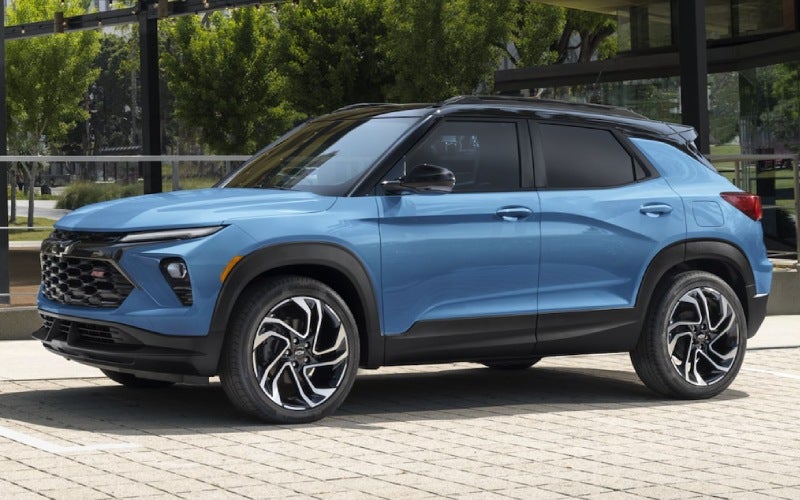
Smart Cargo, Easy Errands — 2026 Chevrolet Trailblazer Tips for Upper Sandusky, OH Home Projects

Smart Cargo, Easy Errands — 2026 Chevrolet Trailblazer Tips for Upper Sandusky, OH Home Projects

Alpha Chevrolet - Smart Cargo, Easy Errands — 2026 Chevrolet Trailblazer Tips for Upper Sandusky, OH Home Projects The 2026 Chevrolet Trailblazer makes quick work of real-world errands and weekend projects, especially if you’re juggling home upgrades, school runs, and quick supply pickups around Upper Sandusky, OH. Its secret weapon is smart cargo flexibility: the fold-flat front passenger seat that accommodates items up to 8.5 feet in length. That means trim, conduit, curtain rods, or flat-packed furniture can slide right in—no roof balancing act or borrowed truck needed. Pair that with the available Hands-Free Power Liftgate, and you’ve got a small SUV that behaves like a bigger hauler when it’s time to load up. The cabin’s standard 11-inch diagonal HD color touch-screen ties everything together with clean menus and wireless Apple CarPlay® and wireless Android Auto™. When your to-do list takes you across town, having navigation and podcasts queued up without the cable clutter just feels better. And because Chevy Safety Assist is standard, your everyday drive benefits from added peace of mind with features like Forward Collision Alert, Automatic Emergency Braking, Front Pedestrian Braking, Lane Keep Assist with Lane Departure Warning, Following Distance Indicator, and IntelliBeam® auto high beam assist. Everyday Cargo Scenarios Made Simpler Think about typical Upper Sandusky projects—a new closet organizer, garage shelving, or gardening tools. With the fold-flat front passenger seat, long boxes lie flat and secure, keeping visibility clear. If you’re transporting delicate items, the relatively low lift-over height makes careful loading easier, and the available Hands-Free Power Liftgate is a lifesaver when your hands are full of planters or shelving brackets. The Trailblazer’s compact footprint is equally helpful when you pull into busier lots near shopping centers or local hardware stores. Parking is easy, turning is tight, and unloading doesn’t require a cargo bay the size of a truck bed. It’s all about right-sized practicality that still lets you take on bigger plans. How the Trailblazer Helps You Work Smarter Organization makes a difference. Add GM accessories like cargo liners or tie-downs to keep messes under control and long items from shifting. Because the space is square and usable, you can stack boxes and bins vertically without wasting headroom. If you’re ferrying a mix of long and tall items, lay shorter pieces on the flat floor and angle longer items into the pass-through created by the folded front seat. And if your projects occasionally pull you onto gravel roads or rutted driveways, the available AWD and three drive modes offer adaptable traction. You’ll feel the benefit when backing out with a full load or navigating uneven surfaces on property visits. Tech That Keeps Errands On-Task The 11-inch screen shines when you’re managing multiple stops. Pull up your route, zoom the map quickly at intersections, and keep a short list of playlists, calls, and reminders on tap. With wireless Apple CarPlay® and Android Auto™, you won’t spend time untangling cords before you shift into gear—just tap, drive, and get things done. Chevy Safety Assist adds valuable reassurance when you’re backing out of tighter lots or nudging into traffic with home project supplies inside. The HD Rear Vision Camera helps with precise maneuvering, while standard assistance features support smoother, more confident drives between stops. Real-World Tips for Hauling Long Items Before you load, measure your longest piece and clear the cabin to avoid scuffs. Place soft padding under wood or metal to protect interior trims. Load the heaviest items first to anchor your cargo stack, then slide lighter, longer pieces through the pass-through. If you have a mix of rigid and flexible items (like plastic conduit), secure flexible items along the side so they don’t bow into your line of sight. Don’t forget to adjust mirrors and seat position after loading. With longer items inside, re-check your rear visibility and let the HD Rear Vision Camera help you ease back into a busy lot or street. When a Small SUV Feels Just Right Not every project requires a full-size pickup. The Trailblazer aims for that sweet spot: maneuverable in town, capable for weekend upgrades, and truly comfortable for the daily rhythm. The cabin is easily cleaned after messy jobs, and when you’re done, it converts right back into a comfortable five-seater for carpools or dinner plans. If you’re cross-shopping, remember that standard Chevy Safety Assist and the large, responsive infotainment screen are standout advantages in the segment. Add in the available features you actually use—like the Hands-Free Power Liftgate or AWD—and you’ve built a small SUV that fits your life from Monday through the weekend list. Frequently Asked Questions: Can the Trailblazer really fit 8.5-foot items inside? Yes. With the front passenger seat folded flat, you get a pass-through that accommodates items up to 8.5 feet long. It’s great for baseboards, trim, or longer flat-packed furniture. Is the Hands-Free Power Liftgate worth it for home projects? If you often load while juggling tools or materials, the available Hands-Free Power Liftgate is a major convenience. It speeds up loading, especially in tighter parking spaces. What if I need more traction on dirt driveways or wet roads? Available AWD and three drive modes help optimize traction and responsiveness across varying surfaces. It’s confidence you’ll appreciate when projects take you off the main road. How does the tech help on errand-heavy days? The standard 11-inch diagonal HD color touch-screen with wireless Apple CarPlay® and Android Auto™ makes route planning, calling, and media simple—no cords, fewer steps, more focus on your errands. Is there a benefit to choosing certain trims for cargo? Every Trailblazer benefits from the fold-flat front passenger seat, but consider accessories that support your routine—cargo protectors, tie-downs, and organizational add-ons can make a big difference. When you’re ready to see how the 2026 Chevrolet Trailblazer handles your list of projects and daily drives, stop by for a test drive. You’ll find a right-sized SUV that’s easy to maneuver, surprisingly spacious, and brimming with everyday tech that genuinely helps. At Alpha Chevrolet, serving Upper Sandusky, Galion, and Columbus, our team can walk you through trims, accessories, and practical load-in tips tailored to your routine so you can pick the configuration that works best for your life. Request more 2026 Chevrolet Trailblazer information

Everyday Confidence with Chevy Safety Assist in the 2026 Chevrolet Trax around Mansfield, OH

Everyday Confidence with Chevy Safety Assist in the 2026 Chevrolet Trax around Mansfield, OH

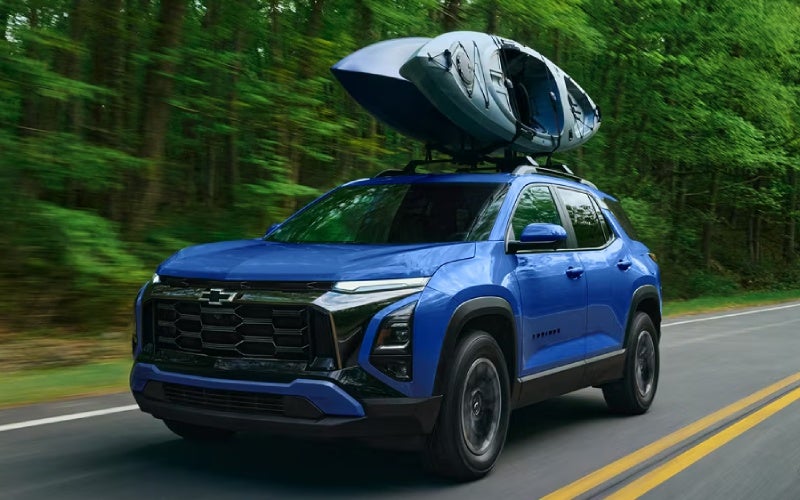
Alpha Chevrolet - Everyday Confidence with Chevy Safety Assist in the 2026 Chevrolet Trax around Mansfield, OH Chevy Safety Assist comes standard on every 2026 Chevrolet Trax, which means you’re starting each drive with a thoughtful suite of driver assistance features working quietly in the background. Around Mansfield, OH — where your day can swing from neighborhood errands to highway stretches on US-30 — those subtle assists matter. In this deep-dive guide, we’ll break down what each system is designed to do and how to get the most from it in real-world driving. Importantly, these features don’t replace your attention — they support it. Think of them as extra sets of eyes that offer helpful prompts and, when appropriate, gentle interventions. With a bit of setup and practice, the Trax makes it easy to tune these systems to your preference. What’s Included in Chevy Safety Assist? The 2026 Trax brings six core technologies as standard: Forward Collision Alert, Automatic Emergency Braking, Front Pedestrian Braking, Lane Keep Assist with Lane Departure Warning, Following Distance Indicator, and IntelliBeam® High Beam Assist. Together, these systems are designed to help warn you about potential front-end collisions, support you with braking under specific conditions, provide alerts if you drift out of your lane, help you manage headlight usage at night, and keep tabs on your following gap to the vehicle ahead. Every feature works within defined parameters — for example, higher speeds, distinct lane markings, or specific lighting conditions — so it’s a good idea to review your vehicle’s settings and Owner’s Manual. Once set up, you’ll find they integrate naturally with your daily drive. Setting Up and Personalizing Your Alerts Start with the available 11-inch center diagonal touch-screen to access vehicle settings and driver assistance menus. Within a few taps, you can tailor alert intensity and chime preferences. If you prefer subtle notifications, you can typically choose shorter chimes and fewer visual prompts; if you want prominent cues, you can dial them up. Spend a moment parked in your driveway to preview these settings and confirm your comfort before heading out. It’s also worth checking the instrument cluster display for quick toggles — certain assist cues, like Following Distance Indicator, display in clear, glanceable formats, so you can keep eyes-up awareness at speed. The result is a car that feels keyed in to you, not the other way around. Everyday Scenarios Around Mansfield, OH Morning trips along Park Avenue West or Main Street often include tightly spaced traffic and frequent stops. Forward Collision Alert and Automatic Emergency Braking can help by alerting you to a sudden slowdown — and in specific situations, applying braking support. When you’re cruising east or west on US-30, the combination of Lane Keep Assist with Lane Departure Warning and Following Distance Indicator encourages steadier lane positioning and more consistent gaps to the vehicle ahead. As light fades on rural connectors or neighborhood lanes, IntelliBeam® High Beam Assist automatically toggles your headlamps as it senses traffic conditions and lighting, which helps you focus on the road instead of the switch. The net effect is a calmer, more attentive drive when visibility changes quickly. Pairing Safety Assist with Smart Cabin Tech Because wireless Apple CarPlay® and Android Auto™ compatibility are standard, you can place your most-used maps and calling apps on the Trax screen while keeping alerts in clear view. When you add available wireless charging and a built-in Wi-Fi® hotspot, you reduce cable clutter and keep devices topped up — fewer distractions, more situational awareness. That’s a meaningful combination on busy Mansfield days. Another simple tip: build a home screen layout that prioritizes navigation and audio on the top row of tiles. This way, you get turn-by-turn clarity while keeping safety notifications visible in the cluster. It takes just a minute to set up and pays you back on every drive. Confidence for Newer Drivers If you’re handing the keys to a new driver in the family, the Trax’s clear visual and audio cues can reinforce good habits. The gentle nudge from Lane Keep Assist or a timely alert from Following Distance Indicator is often enough to promote smoother steering and more measured spacing. Consider walking through the settings together so they understand what each symbol and chime means before their first solo trip. Frequently Asked Questions: Does Chevy Safety Assist work in all weather or road conditions? Like any advanced system, performance can vary with visibility, lane markings, and road conditions. It’s designed to assist, not replace your attention, so always drive engaged and adjust speeds accordingly. Can I turn individual features on or off? Yes. Within the settings menus on the infotainment screen and driver information display, you can usually enable or disable individual features and adjust alert sensitivity. Will the alerts be distracting? Most drivers quickly adapt. You can customize the alert style and volume to your comfort level, which helps these features blend into the background until you need them. Is IntelliBeam® always on at night? It can be switched on or off. When enabled, it monitors conditions and toggles your high beams automatically for better night-driving convenience. What happens if I add accessories like a roof rack? Most accessories won’t affect safety systems, but anything that blocks sensors or cameras could. Follow accessory guidelines and check for any notifications after installation. Why the Trax Gets the Balance Right The 2026 Chevrolet Trax focuses on features you’ll use daily, not just occasionally. Standard Chevy Safety Assist is a prime example — by making these features foundational, Chevrolet helps more drivers benefit from timely alerts and assists without having to shop multiple packages. Pair that with the available 11-inch center diagonal touch-screen, clean cabin ergonomics, and flexible cargo space, and you get a small SUV that’s simple to learn and consistently easy to live with. It’s also a great match for drivers who want a modern safety backbone without giving up a welcoming, straightforward interface. If your week shifts from office commuting to after-school pickups to weekend errands, this balance of tech and usability makes the Trax an even smarter pick. Try It on Your Routes The best way to understand how these features fit your life is to test them on the roads you know best. If your daily drive includes roundabouts, two-lane farm connectors, or evening visibility challenges, watch for where the alerts assist and where you want to adjust their sensitivity. One short loop often shows how naturally they integrate. When you’re ready for a closer look, Alpha Chevrolet is serving Mansfield, Upper Sandusky, and Galion with product specialists who can help you set preferences and walk you through the systems before and after a test drive. With a few thoughtful tweaks, the 2026 Chevrolet Trax becomes a confident partner that supports the way you already drive — and helps you do it with a calmer, clearer view of what’s ahead. Request more 2026 Chevrolet Trax information

Which Compact SUV Delivers Better Built-In Tech for Marion, OH — 2026 Chevrolet Equinox or 2026 Ford Escape?

Which Compact SUV Delivers Better Built-In Tech for Marion, OH — 2026 Chevrolet Equinox or 2026 Ford Escape?

Alpha Chevrolet - Which Compact SUV Delivers Better Built-In Tech for Marion, OH — 2026 Chevrolet Equinox or 2026 Ford Escape? When shoppers ask which compact SUV has the smarter everyday tech, two names tend to rise to the top: the 2026 Chevrolet Equinox and the 2026 Ford Escape. Both deliver modern screens and strong smartphone integration, but the way they package driver assistance, visibility, and infotainment can make your day-to-day drives feel very different. If your regular route moves from city streets to county two-lanes and back — think school drop-off, a stop at the store, and a late-afternoon hop on the highway — the details matter: how quickly you can access settings, how clear your backup view is, and whether the system supports the voice assistant you already use at home. Equinox puts usability first with a standard 11.3-inch diagonal infotainment touch-screen and an 11-inch diagonal Driver Information Center. Google built-in brings Google Assistant and Google Maps seamlessly into the vehicle — no phone required — and Wireless Apple CarPlay® and Android Auto™ compatibility keep you connected either way. For low-speed visibility, two features stand out: available HD Surround Vision, which provides a high-definition, overhead-like view that’s incredibly helpful in tight lots, and the available Rear Camera Mirror that replaces the traditional mirror with a live wide-angle feed. Escape offers a sizeable central display and strong wireless smartphone integration, but it does not offer a 360-degree camera system or a digital rearview mirror, two features that quickly become “can’t-live-without” once you try them. Central screens and interfaces Both SUVs offer crisp, responsive touchscreens and straightforward menus — great news if you regularly toggle between navigation, podcasts, and calls. The Equinox’s interface emphasizes at-a-glance clarity: large tiles, clean fonts, and intuitive swipe behavior. The Escape takes a modern approach too, though some frequently used functions move deeper into the touch interface where you might prefer a dedicated shortcut. For drivers who prefer a voice-first approach, Equinox’s built-in Google integration offers natural language voice control via Google Assistant to manage navigation, calls, and select vehicle functions. Driver assistance and everyday visibility The foundation matters, and the Equinox includes over 15 standard safety and driver assistance features through Chevy Safety Assist, including Automatic Emergency Braking, Front Pedestrian Braking, Lane Keep Assist with Lane Departure Warning, Forward Collision Alert, Following Distance Indicator, and IntelliBeam. Beyond those, available HD Surround Vision and the Rear Camera Mirror meaningfully expand what you can see around your vehicle at low speeds. Escape brings many driver aids standard as well and adds lane centering for confident highway tracking, but again, the lack of a 360-degree camera option or a digital rearview mirror limits how much you can see right where most scrapes and dings happen: crowded lots and tight driveways. Smartphone integration and charging Equinox and Escape both support wireless smartphone projection, which is a big win for daily convenience. Equinox builds on that with clear on-screen layouts and snappy response that make swapping playlists or finding your next turn feel natural. Wireless charging is available on both, so you can keep cables out of the way. If you’re balancing a busy carpool or commuting routine, those little conveniences accumulate into a calmer cabin experience. Comfort features that complement the tech Comfort and clarity go hand in hand. Equinox makes heated front seats and a heated steering wheel standard, which helps you settle in and focus, no matter the season. Adjustable seat ergonomics and thoughtful storage, like the pass-through center console, keep the cabin clutter-free and essentials within reach. Escape’s front seats are comfortable and supportive for long drives, and its infotainment is easy to use, but ventilated front seats and heated rear seats aren’t available — an important consideration if you regularly carry rear passengers or simply prefer a broader range of climate options. How the features shape real-world errands The clearest tech advantage is how it shows up in simple tasks. Parking outside a busy storefront? Equinox’s HD Surround Vision offers an unobstructed perspective that helps you avoid curbs and confidently judge distance. Backing out of a long driveway onto a neighborhood street? The Rear Camera Mirror keeps a wide, bright view even with passengers or cargo stacked to the roof. Using voice to set a detour on the fly? Google Assistant handles the address naturally, saving taps and time. Escape is competent across these same errands, but without the camera-based visibility tools, it leans on traditional mirrors and a single rear camera view. Who should choose which? If you want the most intuitive blend of infotainment and camera-based awareness, the Equinox makes the choice easy. If you prioritize hybrid or plug-in hybrid powertrains, the Escape broadens your options. But for most shoppers who simply want an SUV that’s easy to use and confident to maneuver, the Equinox’s technology suite feels like it was designed around the way we actually drive: quick errands, tight parking, and constant connectivity. Infotainment clarity: Equinox’s 11.3-inch screen and Google built-in keep directions, calls, and apps cleanly organized. Low-speed visibility: Available HD Surround Vision and a digital Rear Camera Mirror bring the kind of confidence you notice every day. Comfort meets tech: Standard heated fronts and a heated steering wheel pair with wireless projection and available charging for a calm, connected cabin. Frequently Asked Questions: Does the 2026 Ford Escape offer a 360-degree camera? No. While the Escape includes many standard driver aids and a helpful rear camera, it does not offer a 360-degree camera system. The Equinox offers available HD Surround Vision for an overhead-like view in tight spaces. Can I use Google Assistant in the 2026 Chevrolet Equinox without connecting my phone? Yes. With Google built-in, you can access Google Assistant, Google Maps, and compatible apps directly through the vehicle’s system, even without a connected phone. Are heated front seats standard on both SUVs? Heated front seats and a heated steering wheel are standard on the Equinox. They’re available on select Escape trims but are not standard across the lineup. What helps most with parking in crowded lots? The Equinox’s available HD Surround Vision and Rear Camera Mirror provide clearer, broader visibility than a traditional camera-and-mirror setup, making low-speed maneuvering easier. How do the two compare for everyday family use? Both are versatile, but Equinox’s combination of intuitive screens, built-in Google, and advanced visibility tech simplifies common family tasks, from parallel parking to backing out of a packed driveway. Alpha Chevrolet is proud to support shoppers with side-by-side test-drive opportunities and helpful demos of core tech features. Our team is focused on clear, useful walk-throughs so you can compare features that matter most to your life. Finally, if you’re comparing service convenience and community support, consider the strength of a local partner: Alpha Chevrolet, serving Marion, Mansfield, and Upper Sandusky, is committed to helping you find the right fit — and showing you how to get the most from your SUV’s technology on day one. Request more 2026 Chevrolet Equinox information

Does the 2026 Chevrolet Silverado 1500 or 2026 Toyota Tundra Offer Better Towing Tech for Mansfield, OH?

Does the 2026 Chevrolet Silverado 1500 or 2026 Toyota Tundra Offer Better Towing Tech for Mansfield, OH?

Alpha Chevrolet - Does the 2026 Chevrolet Silverado 1500 or 2026 Toyota Tundra Offer Better Towing Tech for Mansfield, OH? When truck shoppers start comparing the 2026 Chevrolet Silverado 1500 and the 2026 Toyota Tundra, the same big question surfaces: which one makes towing feel easier day in and day out around Mansfield, OH? Both bring serious muscle and useful features, but the details matter when you’re threading a trailer down neighborhood streets, merging onto US-30, or backing into a tight campsite. Capability at a glance On paper, Silverado claims up to 13,300 pounds of max available towing, while Tundra tops out at 12,000. That difference doesn’t just show up on spec sheets; it can determine whether you comfortably handle a larger equipment trailer or confidently plan for future needs. Silverado also offers an available Duramax® 3.0L Turbo-Diesel—unique in the class—delivering confident torque and excellent highway manners for long hauls. Of course, raw capacity tells only part of the story. What many Mansfield-area owners want to know is how each truck supports the towing process: hitching, monitoring, lane changes, and backing. That’s where Silverado’s integrated camera and trailering technologies push it ahead. Visibility and control that matter Silverado makes visibility a core strength with up to 14 available camera views. From top-down perspectives that help you line up the coupler to side and rear views that improve confidence while passing, the system adds “virtual spotters” when you need them most. The available In-Vehicle Trailering App lets you build custom trailer profiles, run checklists, and monitor key connections—a big help when you’re juggling gear and timelines. Tundra contributes useful tools of its own. An available Panoramic View Monitor provides a 360-degree view around the truck, and Trailer Backup Guide with Straight Path Assist can be helpful for newer towers. These are valuable features, but they don’t match the sheer variety of camera angles and the depth of on-screen trailering management Silverado provides for everyday Mansfield driving where alleys, angled driveways, and crowded parking lots are part of the routine. Hands-free help on compatible roads One standout differentiator: on High Country, Chevrolet offers Super Cruise® connected by OnStar®—and it even works while towing on compatible roads. That means hands-free steering and speed control on mapped divided highways. It’s a stress reducer for long trips to lakeside campgrounds or out-of-town job sites. Toyota doesn’t offer a comparable hands-free system that supports trailering on the Tundra, so if minimizing fatigue on highway stretches is a priority, Silverado holds a decisive edge. Pair that with Trailer Side Blind Zone Alert, which helps account for trailer length, and you get added confidence during lane changes on busy corridors between Mansfield and nearby towns. Powertrain choices that fit how you tow Silverado’s lineup—TurboMax™ engine with best-in-class standard 430 lb-ft of torque, 5.3L and 6.2L EcoTec3 V8s, and the Duramax® 3.0L Turbo-Diesel—lets owners pick the feel and response they prefer. The diesel’s blend of torque and relaxed highway cruising is a favorite among frequent towers. Tundra’s twin-turbo V6 and i-FORCE MAX hybrid deliver strong output, and the hybrid’s low-end torque is welcome. Still, if you want the unique benefits of a diesel for sustained towing beyond Mansfield’s city limits, only Silverado offers it in this class. In day-to-day use—hauling building materials from a supplier, pulling a contractor’s trailer to jobs around Richland County, or moving a family camper—both trucks perform. The difference lies in how much the truck helps the driver organize and execute each part of the towing task. That’s where Silverado’s tools save time and reduce second-guessing. Practical bed features pay off Beyond the hitch, Silverado’s Durabed and available Multi-Flex Tailgate enhance setup and packing. With best-in-class standard cargo bed volume and 12 standard tie-downs, it’s easier to secure coolers, chocks, and bulky boxes. Tundra’s composite bed is tough and resists dents; it’s a credible solution. For owners who shuttle gear to Charles Mill Lake Park or pre-stage equipment on the driveway before a trip, Silverado’s tailgate configurations and tie-down count are everyday difference-makers. When trailering is part of your week, small details add up: camera angles for tight turns, guided checklists to reduce mistakes, and visibility aids for lane changes. Silverado’s advantage is how comprehensively these features work together. How to decide what’s right for you List your trailer weights and future plans: pick a truck with margin for growth. Evaluate where you tow most: city streets, two-lanes, or highways—choose features that reduce stress there. Match powertrain to usage: diesel for frequent, longer tows; gas for mixed daily driving. Test the tech: bring your trailer profile and try the camera views, trailering app, and assist features. Frequently Asked Questions: Can I use a hands-free driving system while towing? Yes—on compatible roads. Silverado offers available Super Cruise® on High Country, and it supports hands-free driving while towing. Tundra does not offer a comparable hands-free trailering system. Do both trucks offer a 360-degree camera? Both provide valuable camera tech. Tundra offers an available Panoramic View Monitor. Silverado goes further with up to 14 available camera views, adding specialized perspectives for hitching and trailer awareness. Which has the higher max towing capacity? Silverado’s max available towing is up to 13,300 pounds, while Tundra’s max is up to 12,000 pounds, based on properly equipped configurations. Ready to compare features on a test drive and see how the tech fits your routine? Visit Alpha Chevrolet, proudly serving Marion, Mansfield, and Upper Sandusky, and bring your trailering questions. Our team will walk through camera views, trailering app tools, and hitching aids so you can confidently choose the setup that fits your life. Request more 2026 Chevrolet Silverado 1500 information

Which Small SUV Offers More Everyday Cargo Flexibility for Upper Sandusky, OH — the 2026 Chevrolet Trailblazer or the 2026 Kia Seltos?

Which Small SUV Offers More Everyday Cargo Flexibility for Upper Sandusky, OH — the 2026 Chevrolet Trailblazer or the 2026 Kia Seltos?

Alpha Chevrolet - Which Small SUV Offers More Everyday Cargo Flexibility for Upper Sandusky, OH — the 2026 Chevrolet Trailblazer or the 2026 Kia Seltos? Your quick answer Shoppers often ask a straightforward question: which small SUV makes hauling everyday items easier, the 2026 Chevrolet Trailblazer or the 2026 Kia Seltos? If your week toggles between office commutes, quick store runs, and weekend projects, cargo flexibility is more than a number—it’s how simply and safely you can load what you need without a hassle. Both SUVs are strong contenders, but the Trailblazer’s standard fold-flat front passenger seat and standard 11-inch diagonal HD color touch-screen stand out for day-to-day usability, while the Seltos counters with generous overall cargo volume and an available Smart Power Liftgate on SX. Below, we break down how both SUVs handle long items, everyday stowage, and quick loading—so you can pick the one that truly fits your routine. What “cargo flexibility” really means Total cargo volume matters, but it’s only part of the equation. Flexibility is about how the space reconfigures quickly for different items: a flat-pack shelf one day, sports bags and a folded stroller the next. It’s also about how easily you can keep small essentials close at hand and how intuitive the cabin feels when you’re in a rush. Long-item loading: The Trailblazer’s standard fold-flat front passenger seat allows up to 8.5-ft items to rest securely on a continuous, level surface—handy for trim pieces, rolled rugs, or lightweight boards. Everyday stowage: Both SUVs provide 60/40 split-folding rear seats to mix passenger space with cargo length; Kia cites up to 62.8 cu. ft. behind the first row for bigger hauls. Quick access: Both offer an available Hands-Free or Smart Power Liftgate on select trims to open the hatch when your arms are full. Trailblazer: Practical solutions that work on busy days Trailblazer’s standard fold-flat front passenger seat is the quiet hero for everyday life. When something longer than the rear area will allow pops up—like a curtain rod, a floor lamp, or a boxed closet system—you can fold the front seat, set the item in place, and go. There’s no awkward angling or forcing it diagonally into the back. Add the available Hands-Free Power Liftgate, and you’re loading and securing in minutes. In the cabin, the standard 11-inch diagonal HD color touch-screen with wireless Apple CarPlay® and Android Auto™ helps keep directions and messages front and center without plugging in, so you can park, load, and be on your way efficiently. Choose RS, and you can add a heated flat-bottom steering wheel for cold mornings and available Bose® audio for crisp guidance cues and music that cuts through cabin chatter on errand runs. If weekend plans include a gravel driveway or uneven surfaces, the ACTIV trim’s off-road suspension tuning and functional skid plate add confidence when the route to your project site isn’t perfectly paved. Seltos: Spacious and feature-rich, with upscale options Kia’s Seltos delivers impressive total space and a flexible 60/40 split-folding rear seat to balance gear and guests. On SX, the available Smart Power Liftgate makes loading simple when your hands are full. The Seltos lineup also offers the available Dual Panoramic Display and wireless phone charging, plus available heated and ventilated front seats for comfort in a wide range of temperatures. If you plan to load taller boxes or make frequent bulk-store trips, that generous overall volume is appealing. However, when an item is simply too long for the rear area, the absence of a fold-flat front passenger seat means you may need to angle it across the cabin or rely more often on home delivery. That’s where the Trailblazer’s unique interior solution often wins the day. Which is easier for awkward, long items? This is where the Trailblazer’s design shines. Its standard fold-flat front passenger seat creates an unbroken load surface that makes long, slender items feel like routine cargo rather than a puzzle. For many shoppers, that one feature removes guesswork and protects interior trim because you’re placing items flat—rather than tilting or resting them on seat bolsters. Long boxes and rods: Trailblazer’s flat front seatback helps long pieces sit stably, while the Seltos may require a diagonal placement that can shift as you drive. Quick store runs: Both models’ available hands-free liftgates help you swing the hatch with a light kick or with the key, reducing juggling at the curb. Everyday tech help: Trailblazer’s standard 11-inch display makes it easier to see navigation and parking camera views while positioning the vehicle to load safely. AWD and control when the SUV is fully loaded Carrying a full load sometimes means taking different routes or dealing with changing traction. Trailblazer offers available AWD and three drive modes to tailor feel and response. The Seltos counters with available AWD featuring Lock Mode that can split power 50/50 between the axles at the push of a button. Both approaches help when you’re leaving a gravel lot after a team practice or taking an unfamiliar side street with a full cabin. Trim strategy and feature priorities Trailblazer ACTIV: Adds off-road suspension tuning and a functional skid plate—great if your plans include unpaved paths. Trailblazer RS: Brings available 19-inch wheels, a heated flat-bottom steering wheel, and style that stands out. Seltos SX: Offers the available 1.6L turbo engine, Smart Power Liftgate, and premium tech/driver-assist availability. No matter which models you’re weighing, think about your top three uses each week: the errands you run, the roads you take, and who or what rides in the back. That clarity makes the decision easy. Our take for Upper Sandusky, OH shoppers If your life involves frequent long, slender items—home projects, sports equipment, or just that occasional surprise run—the Trailblazer’s fold-flat front passenger seat is the difference-maker. Add its standard 11-inch diagonal HD color touch-screen and Chevy Safety Assist standard, and you get capability and confidence built right in. The Seltos is a worthy rival with big cargo volume and upscale options, particularly on the SX, but for everyday cargo flexibility with fewer workarounds, the Trailblazer usually fits better. Visit us at Alpha Chevrolet, serving Marion, Mansfield, and Upper Sandusky, to compare cabin layouts side by side. We’ll help you map your normal loading scenarios onto each SUV so you can see in minutes which one truly matches your daily rhythm. Frequently Asked Questions: Can the Trailblazer really carry 8.5-foot items inside? Yes. With the front passenger seat folded flat and the rear seats down, Trailblazer allows items up to approximately 8.5 feet in length to rest on a largely level surface. It’s especially useful for rods, trim pieces, or boxed flat items that are too long for the rear area alone. Does the Seltos offer a similar fold-flat front passenger seat? No. The Seltos provides a flexible rear area with 60/40 split-folding seats and notable overall cargo volume, but it does not offer a fold-flat front passenger seat. Are hands-free liftgates available on both SUVs? Yes. Trailblazer offers an available Hands-Free Power Liftgate, and Seltos SX offers an available Smart Power Liftgate to simplify loading when your hands are full. Which SUV is better for tech-focused daily driving? Both models deliver excellent connectivity, but Trailblazer makes the 11-inch diagonal HD color touch-screen standard, along with wireless Apple CarPlay® and Android Auto™. Seltos offers an available Dual Panoramic Display on higher trims and wireless phone charging. How do I choose between trims if I drive mixed roads? If you see unpaved or uneven surfaces weekly, Trailblazer ACTIV’s off-road suspension tuning and functional skid plate add confidence. If your routes are mostly paved but you want a sporty feel, Trailblazer RS or Seltos SX both bring premium features—your test drive preference will likely decide it. Request more 2026 Chevrolet Trailblazer information

Which Small SUV Has the Smarter Everyday Tech for Upper Sandusky, OH — 2026 Chevrolet Trax or 2026 Honda HR-V?

Which Small SUV Has the Smarter Everyday Tech for Upper Sandusky, OH — 2026 Chevrolet Trax or 2026 Honda HR-V?

Alpha Chevrolet - Which Small SUV Has the Smarter Everyday Tech for Upper Sandusky, OH — 2026 Chevrolet Trax or 2026 Honda HR-V? When shoppers around Upper Sandusky, OH, cross-shop small SUVs, one question rises to the top: which one nails everyday technology without making it complicated? In this deep dive, we compare the core systems and features that determine how intuitive your drives feel, how seamlessly your smartphone integrates, and how confidently your family rides. The headline is simple: both SUVs bring strong safety suites and wireless connectivity, but the balance of standard features and screen usability gives the edge to Chevrolet for many shoppers. The Chevrolet approach centers on simplicity you can see and tap from day one. Wireless Apple CarPlay® and Android Auto™ are standard on every Trax, so your maps, messages, and media show up automatically. Then, you can step up to an available 11-inch center HD touch-screen—large, crisp, and easy to navigate—paired with an available 8-inch Driver Information Center that keeps your directions and key data front and center. HR-V counters with a standard 9-inch Color Touchscreen and a standard wireless phone charger, a nice convenience for cord-free daily life. Both are modern and approachable, but the Chevrolet screen upgrade and available built-in Wi-Fi® hotspot create a richer tech foundation for carpool days and longer weekend drives. Connectivity that feels natural The litmus test for great in-vehicle tech is how quickly it fades into the background. Trax makes that happen with a clean menu layout and responsive screen behavior, so switching between navigation and media is a two-tap job. The available Wi-Fi® hotspot is more than a buzzword—passengers can stream on tablets or catch up on schoolwork in transit, and cloud-based apps feel quicker with that steady connection. HR-V’s interface is tidy and logical, too, and its standard wireless charger is a thoughtful touch for everyday convenience. What about voice? With CarPlay® and Android Auto™ standard on both, each SUV lets your phone’s assistant handle calls, texts, and destinations. That means you can say “take me to the soccer complex” or “call home” and get it done while keeping your eyes up and hands on the wheel. For most drivers, that’s the tech that matters every day. Driver assistance and confidence Safety tech is now central to the tech conversation. Trax includes Chevy Safety Assist on every trim: Forward Collision Alert, Automatic Emergency Braking, Front Pedestrian Braking, Lane Keep Assist with Lane Departure Warning, Following Distance Indicator, and IntelliBeam® auto high beams. HR-V brings Honda Sensing®, including Collision Mitigation Braking System™ (CMBS™), Road Departure Mitigation, Adaptive Cruise Control with Low-Speed Follow, Lane Keeping Assist with Traffic Jam Assist, and Traffic Sign Recognition. Both lineups cover the must-haves, but the Trax adds a family-focused advantage with Teen Driver. You can set parameters and receive an in-vehicle report card—an invaluable coaching tool for new drivers. Beyond the core suites, available Blind Zone/Rear Cross Traffic alerts help in tight parking lots and busy school pickup lanes, and available Adaptive Cruise Control takes the edge off longer stretches along US-23. HR-V’s available Real Time AWD™ deserves mention for drivers who want added traction on unpaved access roads or steep gravel drives. If AWD is a must-have, that may tilt you Honda’s way. If your drives stay on paved routes most days, the Chevrolet’s standard safety features and intuitive controls may fit your routine better. Screen size, layout, and learning curve Screen size matters because it reduces the need to dig through menus. The Trax’s available 11-inch center HD touch-screen brings larger icons, more map detail, and a friendlier split-screen experience. HR-V’s standard 9-inch screen is bright and clear, but less real estate can mean more toggling between views. For drivers who prefer minimal distraction—and for passengers who act as “co-pilots”—that extra screen space on the Chevrolet can make a meaningful difference. Another design detail: the Trax 2RS offers a flat-bottom steering wheel that feels sporty and frees up a touch of knee room, while the HR-V sticks to a traditional wheel across trims. It is a small distinction, yet it conveys how Chevrolet uses trim personalities and tactile upgrades to make tech and ergonomics feel more engaging. Everyday practicality meets tech Tech also lives in the background noise you do not hear. Active Noise Cancellation on the Trax helps conversations stay clear, and the cabin layout makes it easy to stash devices and route charging cables when you want them. HR-V focuses on refinement with body-stabilizing front seats, a nicely finished dashboard with honeycomb detailing, and an available 8-speaker audio system that fills the cabin evenly. Both cabins are welcoming; the decision often comes down to whether you value a larger available screen and built-in connectivity or prefer a standard wireless charger and a slightly different interior vibe. Screen and integration: Trax offers an available 11-inch center HD touch-screen and standard wireless phone mirroring on every trim; HR-V uses a standard 9-inch screen with standard wireless mirroring. Built-in connectivity: Trax makes a built-in Wi-Fi® hotspot available for steady streaming and cloud apps; HR-V focuses on phone-native connectivity and the HondaLink® app. Confidence tech: Both carry robust safety suites; Trax adds Teen Driver for coaching and accountability with young drivers. From a pure “tech that helps every day” standpoint, the Chevrolet’s larger screen option and available hotspot give it a practical edge. It is the difference between glancing and seeing, tapping and done. Frequently Asked Questions: Do both SUVs include wireless Apple CarPlay® and Android Auto™? Yes. Trax and HR-V both make wireless smartphone mirroring standard, so your maps, calls, and playlists are a tap away without plugging in. Which one has the bigger central screen? Trax offers an available 11-inch center HD touch-screen, while HR-V equips a standard 9-inch Color Touchscreen. Is there a built-in Wi-Fi® hotspot? Trax makes a built-in Wi-Fi® hotspot available to support passenger streaming and cloud-connected apps. HR-V emphasizes phone-based connectivity and HondaLink®. For drivers who prefer tech that just works—big icons, wireless mirroring, and strong safety coverage—the Chevrolet setup is tough to beat. And when you are comparing options, our team at Alpha Chevrolet is here to walk you through each system so you can see how the menus and features feel in hand. We are proudly serving Marion, Mansfield, and Upper Sandusky with guided test drives that focus on the technology you will use every day. Request more 2026 Chevrolet Trax information

A Customer-First Guide to Choosing a Chevrolet Dealer near Columbus, OH

A Customer-First Guide to Choosing a Chevrolet Dealer near Columbus, OH

Alpha Chevrolet - A Customer-First Guide to Choosing a Chevrolet Dealer near Columbus, OH Choosing the right Chevrolet Dealer near Columbus, OH, is about more than a quick search and a short test drive. It is about finding a partner that listens, maps a clear plan, and supports you long after delivery day. Welcome to Alpha Chevrolet, where our approach is built around clarity, convenience, and genuine care for your time. From the first hello to your next service visit, our team designs every step to feel simple—so you can focus on the vehicle that fits your life around I-270, Downtown, and the neighborhoods you call home. Columbus drivers juggle a lot—morning commutes down I-71, errands through Grandview and German Village, events in the Arena District, and weekend drives to parks and trails. Our job is to match you with a Chevrolet that makes those daily routes easier, whether that means an agile small SUV, a spacious three-row, a ready-for-anything pickup, or an EV with smart charging solutions. As your nearby Chevrolet Dealer near Columbus, OH, we keep the experience practical, positive, and tailored to your needs from the first click or call. Our Promise: Transparent, Friendly, and Built Around You A great dealership experience should never feel complicated. Our team keeps everything clear—what to expect on trade valuations, how financing works, which features come standard or are available on the models you are considering, and how to compare trims without guesswork. You can begin online, continue in-store, or move seamlessly between both. We keep you updated at every step, schedule test drives that match your calendar, and prepare vehicles in advance so you can maximize your time on the road. Inventory That Fits Columbus Driving—City Streets to Outerbfelt Our selection covers the full Chevrolet lineup, so you can confidently compare options for how you live and drive. Need daily ease and tight turning for the Short North? Compact SUVs like the Trax and Equinox are built for quick parking and connected tech. Hauling gear to weekend projects or heading out to a job site? Silverado 1500 and Colorado bring versatile beds, thoughtful storage, and available trailering tech to simplify loading, backing, and towing. Want room for crews, kids, and cargo? Traverse and Tahoe add relaxed space and flexible seating for busy schedules. Interested in going electric? Blazer EV and Silverado EV pair impressive capability with convenient charging features and robust in-vehicle tech. Across the lineup, you will find smart confidence features such as Chevy Safety Assist, available Super Cruise® on select models for compatible roads, available HD Surround Vision to help with tight parking garages, and Google built-in to streamline navigation and everyday voice commands. Together, these systems help manage the realities of Columbus driving, from quick merges onto I-70 to navigating crowded surface streets near campus. Depth of selection: Compare trims, body styles, and powertrains side by side to align comfort, capability, and tech with your daily routes. Trade-ins made easy: Bring any brand—our team completes a thorough appraisal and presents a clear, no-pressure offer based on current market data. Certified Pre-Owned confidence: Explore Chevrolet Certified selections that include a detailed inspection and added coverage for extra peace of mind. Test-drive your way: Experience routes that reflect real Columbus driving—highway segments, quick stop-and-go, and easy places to park and assess visibility. Digital tools that help: Use online filters, a trade estimator, and a pre-approval form to save time and preview options before you visit. Flexible delivery options: Coordinate pickup or delivery steps that fit your schedule, with paperwork prepared to make signing simple. Long-term support: Count on Chevrolet Certified Service using GM Genuine Parts and ACDelco for maintenance that preserves performance and value. Financing Built Around Your Goals Financing should never feel like a hurdle. At Alpha Chevrolet, our finance professionals work one-on-one to outline options clearly, explain how term length and down payment can impact monthly commitments, and identify a plan that fits your goals. Whether you prefer to start with a quick pre-approval online or sit down in person, we keep the process friendly and streamlined, with responsive updates and direct answers to your questions. Trading a vehicle? Our team assesses it thoroughly and walks you through the market factors behind the number, so the offer makes sense at a glance. Rolling equity into your next vehicle is simple, and we handle the paperwork so you can stay focused on your new ride. The result is an uncomplicated path from research to keys in hand, aligned with your budget and timeline. Confidence for Every Mile in and around Columbus City-to-suburb driving rewards vehicles that are easy to park, quick to maneuver, and ready for highway runs. Chevy Safety Assist helps with features such as Automatic Emergency Braking, Lane Keep Assist with Lane Departure Warning, and Front Pedestrian Braking. Available Adaptive Cruise Control can reduce stress on longer I-270 stretches, available HD Surround Vision assists with tight garage entries near Downtown, and Rear Cross Traffic Alert can help when backing out of busy spots near popular shopping areas. On select vehicles, available Super Cruise® enables compatible-road hands-free driving for properly equipped models, and Google built-in can streamline navigation to Easton, Polaris, and beyond. When it is time for maintenance, our Chevrolet Certified Service team keeps everything running smoothly. We use GM Genuine Parts and ACDelco, complete Multi-Point Vehicle Inspections, and communicate results in plain language. Schedule online at your convenience, and arrive knowing the work has been planned with your time in mind. Your vehicle stays ready for everyday life, with confidence in how it feels, sounds, and performs. How to Get Started in a Few Easy Steps Explore inventory: Browse by body style, features, and must-haves—save favorites to compare trims and tech side by side. Value your trade: Share a few details and photos online or visit for an in-person appraisal with transparent, market-based numbers. Get pre-approved: Use our secure form to preview financing paths and bring clarity to next steps before a test drive. Schedule a test drive: Pick a time that works; we will have keys ready and a route mapped to match your daily driving. Frequently Asked Questions: How close are you to Columbus, and what is the easiest route? Many shoppers reach us by heading north on US-23 toward Delaware and Marion, then continuing toward Bucyrus along OH-4. It is a straightforward drive with minimal turns, and our team can share exact directions when you call or message. Do you accept trade-ins from any brand or model year? Yes. Bring any make and model for an on-site appraisal. We review condition, service history where available, mileage, and current market data to present a clear and competitive offer. What paperwork should I bring for financing? Bring a valid driver’s license, proof of insurance, proof of income, and a recent utility bill or similar document for proof of address. If you have a trade-in with a loan, a recent payoff statement is helpful. What are the benefits of a Chevrolet Certified Pre-Owned vehicle? Chevrolet Certified selections include a detailed inspection, limited warranty coverage, and additional program benefits that add confidence to your purchase. Our team will walk through the specifics on any certified vehicle you are considering. Can I test drive multiple vehicles in one visit? Absolutely. We encourage back-to-back drives so you can feel meaningful differences in ride quality, cabin tech, and visibility. We will map routes that include a mix of highway and city driving to reflect your daily use. We proudly welcome drivers from across Greater Columbus, with teams focused on real-world recommendations, transparent trade appraisals, and seamless financing support—serving Ashland, Bucyrus, and Marion as part of our broader community reach. Ready to take the next step? Request more information, schedule a test drive, or start a quick pre-approval today. Our team at Alpha Chevrolet is here to help you compare options, answer questions, and move forward with confidence in a Chevrolet you will enjoy for years to come. Request more information

Can the 2026 Chevrolet Trax Run on Regular Unleaded Gas near Mansfield, OH?

Can the 2026 Chevrolet Trax Run on Regular Unleaded Gas near Mansfield, OH?

Alpha Chevrolet - Can the 2026 Chevrolet Trax Run on Regular Unleaded Gas near Mansfield, OH? The 2026 Chevrolet Trax is built to make everyday driving simple, and fueling up is no exception. If you are shopping near Mansfield, OH, and wondering what gas the Trax needs, the real-world answer is refreshingly easy: the ECOTEC® 1.2L Turbo in every 2026 Trax is engineered to run on regular unleaded gasoline. Pair that with an EPA-estimated 30 MPG combined, and you have a small SUV that keeps stops quick and budgets steady as you commute along US-30, head down I-71, or loop between Mansfield, Ontario, and Bucyrus. Why This Fuel FAQ Matters for Mansfield, OH, Drivers Between weekday errands in Lexington, weekend games at North Lake Park, and school pick-ups around Madison, convenience wins. Premium-only vehicles can complicate your routine if the closest station that stocks higher octane is across town. With the 2026 Trax, you can fill up confidently with regular unleaded at virtually every station on your route. That’s practical ownership—less searching, faster fill-ups, and consistent performance across your daily drives. Our team at Alpha Chevrolet hears this question because fuel type affects more than just what goes in the tank. It shapes how you plan your week, how far a tank can take you, and how predictable your budget feels. The Trax’s regular-fuel tuning and efficient turbocharged design come together to help you spend more time on the road and less time at the pump. How the ECOTEC® 1.2L Turbo Is Tuned for Everyday Efficiency The 2026 Trax uses a compact, turbocharged ECOTEC® 1.2L Turbo engine that prioritizes low- and mid-range torque where you actually drive—pulling away from lights on Park Avenue West, merging onto US-30, or easing through traffic by the Richland Mall. That usable powerband is matched to regular unleaded fueling, so you don’t need premium to enjoy smooth, responsive driving. The result is easy pace, predictable performance, and efficiency you can feel day to day. Comfort features add to that relaxed rhythm. Active Noise Cancellation helps quiet common road sounds, and standard Chevy Safety Assist brings confidence with advanced driver assistance. When you are less fatigued by noise or stress, it is easier to drive smoothly—which often supports better real-world fuel economy without changing anything under the hood. Practical Fueling Tips for Trax Owners around Mansfield Keeping your 2026 Trax happy on regular unleaded is straightforward. A few small habits can help you get the most from every gallon as you move between Mansfield, Bucyrus, and Ashland. Check the octane label: Choose 87 AKI or the minimum specified in your Owner’s Manual for the ECOTEC® 1.2L Turbo. Prefer Top Tier fuel: Detergent additives in Top Tier gas can help keep injectors and intake components cleaner over time. Monitor tire pressure: Proper inflation reduces rolling resistance and helps the Trax deliver its EPA-estimated 30 MPG combined. Limit extended idling: On cold mornings, drive gently after start-up instead of idling for long periods to save fuel. Use remote start thoughtfully: On LT with a remote vehicle starter system, a brief warm-up is fine—avoid long warm-ups when possible. These everyday practices fit naturally into life here—short hops from Ontario to downtown Mansfield, longer stretches on US-30, and everything in between. Will Premium Gas Improve Performance or MPG? For the 2026 Chevrolet Trax, premium fuel is not required. The ECOTEC® 1.2L Turbo is calibrated for regular unleaded, and you should not expect noticeable day-to-day improvements in power or economy from higher octane in typical Mansfield-area driving. The most reliable approach is the simplest one—use the octane recommended in your Owner’s Manual and keep up with routine maintenance at Alpha Chevrolet to maintain peak performance. If you ever hear unusual knocking or notice reduced performance after a questionable fill-up, refuel at a high-quality station and drive normally. If the concern persists, our Certified Service team can check things out quickly so you can get back to your routine with confidence. Tech That Makes Fuel-Smart Driving Easier The Trax backs up its fueling simplicity with everyday tech that helps you plan, track, and drive more efficiently. Standard wireless Apple CarPlay® and wireless Android Auto™ make it easy to use your favorite navigation and fuel apps, so you can compare station locations or plan a single efficient stop on your way home from work. On select trims, the available 11-inch center HD touch-screen provides an intuitive hub for your connected apps, while the available 8-inch diagonal color Driver Information Center can display trip data you can actually use—like average MPG—right in your line of sight. Want to stay connected on the go? An available built-in Wi-Fi® hotspot helps passengers stream and work without using phone data while you stay focused on the road. Fuel-Savvy Features That Fit Daily Life Beyond the pump, the 2026 Trax is built to simplify what you do every day in and around Mansfield. Its 60/40 split-folding rear seat and up to 54 cu. ft. of max cargo space means you can grab groceries at Aldi, load sports equipment for games at Arlin Field, or pack for a quick run to Mohican State Park—without packing inefficiently. Fewer trips and smarter routes often mean fewer stops for fuel, too. Confidence adds up, as well. Chevy Safety Assist is standard and includes features like Forward Collision Alert with Automatic Emergency Braking, Front Pedestrian Braking, Lane Keep Assist with Lane Departure Warning, Following Distance Indicator, and IntelliBeam® High Beam Assist. When you are less worried about the unknowns, you can keep a lighter right foot and a steadier pace—both friendly to your MPG. Frequently Asked Questions: What gas does the 2026 Chevrolet Trax require? The 2026 Trax with the ECOTEC® 1.2L Turbo is engineered to run on regular unleaded gasoline. Follow the recommended octane in your Owner’s Manual—87 AKI is the typical choice at most stations around Mansfield. Will premium gasoline improve the 2026 Trax’s performance or fuel economy? Premium is not required. In normal driving, you should not expect a noticeable benefit from higher octane. The Trax is tuned for regular unleaded—use the recommended fuel and keep up with maintenance for the best results. How can I maximize fuel economy on Mansfield-area commutes? Accelerate smoothly, avoid extended idling, keep tires properly inflated, and use your connected navigation via Apple CarPlay® or Android Auto™ to plan efficient routes. Cruise at steady speeds when safe on US-30, and avoid unnecessary extra trips by batching errands. Does the Trax help me track MPG? Yes. Available displays—including the 11-inch center HD touch-screen and the 8-inch diagonal color Driver Information Center—can show trip and efficiency information, while your smartphone apps can help you compare stations and prices through wireless Apple CarPlay® and Android Auto™. What if I hear knocking or feel reduced performance after a fill-up? Refuel with the recommended octane at a high-quality station and drive normally. If the concern continues, schedule a quick visit with Alpha Chevrolet’s Certified Service team so we can inspect and get you back on the road with confidence. For Mansfield, OH drivers who want an easy ownership experience, the 2026 Chevrolet Trax delivers: fuel that is simple to find, smart tech that helps you plan your day, and an efficient ECOTEC® 1.2L Turbo that is right at home on regular unleaded. Add the convenience of features like standard wireless Apple CarPlay® and Android Auto™, an available 11-inch center HD touch-screen, and available built-in Wi-Fi® hotspot, and you have a small SUV that fits how you actually live and drive here. Ready to see how the 2026 Trax fits your life beyond the pump—cargo, comfort, and confidence included? Visit us at Alpha Chevrolet in Bucyrus, just a short drive from Mansfield. Our team will walk you through trims like LS, 1RS, LT, 2RS, and ACTIV, set you up with a test drive, and answer any ownership questions—from fueling to Chevy Safety Assist—so you can choose with confidence. If you already drive a Trax, our Certified Service experts are here for maintenance, from oil changes to multi-point inspections, using GM Genuine Parts to help keep your SUV performing at its best. Stop by, call, or schedule online. We are here to make every part of Trax ownership—especially fueling—straightforward and rewarding. Request more 2026 Chevrolet Trax information

Can the 2026 Chevrolet Equinox Carry Two E-Bikes on a Hitch Rack around Marion, OH?

Can the 2026 Chevrolet Equinox Carry Two E-Bikes on a Hitch Rack around Marion, OH?

Alpha Chevrolet - Can the 2026 Chevrolet Equinox Carry Two E-Bikes on a Hitch Rack around Marion, OH? Bringing a pair of e-bikes to the Marion Tallgrass Trail should be simple and stress-free, and the 2026 Chevrolet Equinox is an everyday SUV designed to make that kind of weekend plan easy to pull off. At Alpha Chevrolet, we help a lot of Marion, OH, cyclists outfit their Equinox for bike hauling, so we built this guide around a real ownership question: can the 2026 Equinox safely carry two e-bikes on a hitch rack for rides around Marion, Waldo, and Morral? The short version is that the Equinox has the right foundation for this job when it’s equipped correctly and loaded thoughtfully—below, we walk through what matters, how to choose a rack, and the simple steps that keep you confident on local roads. Why this question matters in Marion, OH Between the Marion Tallgrass Trail, Prairie Parks, and nearby paths and county roads, e-bikes have become the go-to way to cover more ground without giving up the joy of pedaling. E-bikes are also heavier than traditional bikes, which makes a hitch-mounted platform rack the best solution for most riders. The 2026 Equinox offers available roof rails for other kinds of gear, but most e-bikes are too heavy to lift to roof height safely. That’s why selecting the correct hitch and rack—then using the Equinox’s built-in driver assistance and camera tech to your advantage—matters for everyday rides and out-and-back trips from Marion. Start with the Equinox capability basics The 2026 Chevrolet Equinox pairs an efficient 1.5L Turbo engine with standard Drive Mode Selector to help you feel composed around town and out on OH-98 to Bucyrus. It’s rated to tow up to 1,500 lbs, which is a good indicator that the rear structure is built to manage a mounted accessory when you install a proper receiver hitch. For bike racks, the number that really matters is maximum tongue weight at the hitch—how much weight the receiver can safely support straight down. As a general rule of thumb, tongue weight is often about 10 percent of the tow rating, but that can vary by configuration and accessory receiver. Always confirm the tongue weight limit in your Owner’s Manual and with the specific hitch you install on your Equinox. Because e-bikes commonly weigh 50–70 lbs each and premium platform racks can weigh 40–60 lbs, two e-bikes plus the rack can total 140–200 lbs. That’s right on the line for many compact SUV receivers. The safe path is to choose a receiver and rack combination that clearly supports your total setup and stays within the Equinox’s published limits. Choosing a hitch and rack that fit the 2026 Equinox We recommend starting with a Chevrolet Accessories receiver hitch designed for the 2026 Equinox. Using a hitch built for your vehicle helps ensure proper fit and preserves the integrated safety systems that support your daily drives. Our parts team can help you select a compatible receiver and complete the install. Next, choose a rack that’s rated for e-bikes and compatible with your receiver size. Platform-style, wheel-mounted racks make loading easier and reduce frame contact. Many include removable loading ramps and integrated locks—smart add-ons for trailheads around Marion. Pick a platform rack that supports your total bike weight without using add-on adapters Remove e-bike batteries before loading to reduce weight and improve security Verify tire width support if you ride fat-tire or gravel e-bikes Look for tilt-away or swing-away features to help access the cargo area Confirm the rack’s maximum wheelbase and axle-to-axle fit for your bikes If you’re unsure which receiver size your Equinox is receiving or you want guidance on rack choices, our team will walk you through options in the showroom and in Chevrolet Accessories so you can make an informed choice that matches your bikes and your driving routine. How Equinox tech helps when you’re hauling bikes Bike racks can block part of your rear view, but available HD Surround Vision provides a helpful, high-resolution top-down perspective to check clearances when you back into a space at the Tallgrass Trail parking area or line up in a tight driveway. The available Rear Camera Mirror can further improve visibility behind the vehicle by replacing the traditional mirror with a camera feed. In addition, standard Chevy Safety Assist brings over 15 standard safety and driver assistance features, including Automatic Emergency Braking, Front Pedestrian Braking, Lane Keep Assist with Lane Departure Warning, Forward Collision Alert, Following Distance Indicator, and IntelliBeam®. When backing out of a busy lot on a Saturday morning, available Rear Cross Traffic Braking and Side Bicyclist Alert can provide added confidence. Note that any rear-mounted accessory can trigger proximity sensors. If your rack is detected, you can adjust vehicle settings to minimize nuisance alerts while parked or maneuvering. Our delivery specialists will show you how to customize these settings on the 11.3-inch diagonal infotainment touch-screen so you get the nudges you want without unnecessary alerts. Loading tips that work on Marion roads Before you head for the trailhead or a spin down S Prospect Street, take a moment to prep your setup. A few simple steps pay off in quieter, more secure drives and faster loading at the end of the ride. Stage your gear in the cargo area first with the 60/40 rear seat folded as needed for helmets, shoes, and locks Remove e-bike batteries and accessories to reduce rack weight and protect components Load the heavier e-bike closest to the hatch, then the second bike on the outer tray Use all primary clamps and secondary safety straps specified by the rack brand Give the handlebars and saddle a slight twist if needed to keep clearances tight and tidy Do a quick shake test, then check your straps again after the first few miles Once you’re rolling, the Equinox’s calm ride and available Adaptive Cruise Control help keep the trip easy. If crosswinds pick up on US-23 or OH-309, drop your speed a touch—e-bikes present a bit more surface area—and leave extra following distance. The Following Distance Indicator makes it simple to monitor at a glance. What about liftgate access and everyday convenience? The available hands-free AutoSense Power Liftgate is a huge plus when your hands are full. With a rack installed, the sensor area can be partially blocked—tilt-away or swing-away rack designs help restore easy cargo access. The Equinox’s convenient interior liftgate switch, key fob control, and 11.3-inch diagonal infotainment touch-screen settings give you multiple ways to open and close the liftgate when the hands-free sensor is covered. We’ll demonstrate all three during your test drive so you can see which you prefer. Interior carry and cargo alternatives If you ride a single lightweight e-bike or a traditional bike, you can sometimes carry it inside with the rear seats folded—use the hidden cargo storage under the rear floor for tools and chargers, and protect the interior with a mat. For two e-bikes, a hitch rack remains the most efficient and secure solution. Roof rails are great for cargo boxes, skis, or lighter gear—but most e-bikes are simply too heavy to lift overhead safely. How Alpha Chevrolet can help you set up your Equinox We install Chevrolet Accessories receiver hitches, walk you through compatible e-bike rack options, and help you tailor vehicle settings so your safety features work smoothly with your rack in place. If you’re coming from Marion, we’re a quick drive up OH-98 to our showroom, and we can handle the install while you relax in our guest lounge. Our parts and Certified Service teams will make sure your setup respects published limits and feels solid on the road. We also make daily life easier: Wireless Apple CarPlay® and Android Auto™ compatibility, Google built-in, available wireless phone charging, and OnStar® support turn the Equinox into a smooth, connected basecamp before and after your ride. Frequently Asked Questions: Do I need trailer wiring for a bike rack on the 2026 Equinox? No. A hitch-mounted bike rack does not use trailer lighting. Trailer wiring is only required if you are towing a trailer with lights. If you plan to use a hitch cargo carrier with auxiliary lights, ask us about accessory wiring options. Will a hitch rack interfere with the hands-free AutoSense Power Liftgate? A rack can partially block the hands-free sensor. You can still open the liftgate using the interior button or key fob, and many e-bike racks tilt or swing away to allow easy access. We will show you how to adjust liftgate settings on the 11.3-inch diagonal infotainment touch-screen if you prefer. What receiver size should I choose for e-bikes? Choose the receiver size specified for your Equinox by Chevrolet Accessories and match your rack to that size. For heavier e-bikes, a compatible platform rack that supports your total weight is the priority. We will verify receiver size and tongue weight limits for your configuration before installation. How does HD Surround Vision help when parking with bikes on the back? Available HD Surround Vision provides a top-down, high-resolution view that helps you judge distance to curbs, parking lines, and nearby objects—especially useful when a rack obscures part of the rear window. Pair it with the available Rear Camera Mirror for enhanced rear visibility. Can the 2026 Equinox tow a small utility trailer in addition to using a bike rack? It’s rated to tow up to 1,500 lbs when properly equipped. You can tow or carry bikes on a rack, but not both at the same time on the same hitch. If you are considering towing, talk with us about hitches, wiring, and loading so you stay within weight and tongue limits for your specific vehicle. Will driver assistance features still work with a rack installed? Yes, but the rack may be detected by some rear sensors at low speeds. You can fine-tune alert settings so you’re not distracted while backing up with a rack. The core features in Chevy Safety Assist—like Forward Collision Alert and Lane Keep Assist with Lane Departure Warning—will continue to operate as intended when driving. Next steps for Marion riders If you are e-bike curious or already riding the Tallgrass Trail weekly, the 2026 Chevrolet Equinox has the flexibility and technology to make loading and driving simple. Visit us at Alpha Chevrolet to see hitch options, test a platform rack fit, and experience available HD Surround Vision and the 11.3-inch diagonal infotainment touch-screen in person. We will help you build a setup that respects published limits, protects your investment, and makes getting out for a ride around Marion easier than ever. Request more 2026 Chevrolet Equinox information

Contact Us

Fill out this form below and we'll contact you shortly
*Required Fields